Start here
Overview
Vibr turns a description of a screen into a working, interactive prototype built with a real design system, right in your browser.
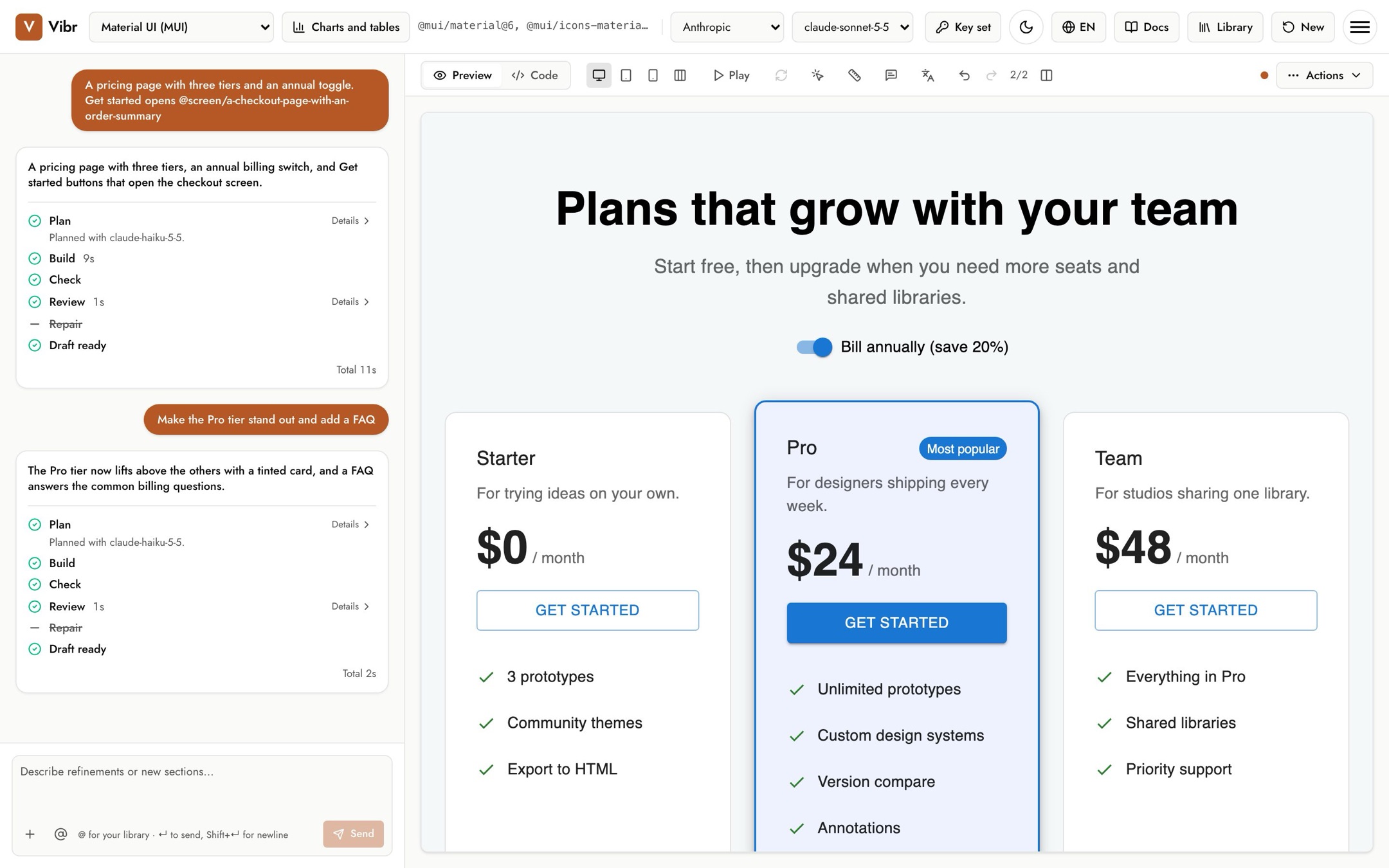
Vibr is a prototyping tool for designers. You describe a screen in plain words, and an agent plans it, builds it with the design system you choose, checks that it renders, reviews it for accessibility and layout problems, and repairs what it finds. The result is real React code you can click through, revise, annotate, link into flows and export.
How it works
- Bring a key. Vibr calls Google Gemini, OpenAI, Anthropic or OpenRouter with your own API key. The key stays in your browser.
- Pick a design system. Material UI, Ant Design, Fluent UI, Mantine, Shoelace, Octuple, or any package on npm.
- Describe a screen. Vibr shows each step as it works, and the canvas draws the screen while it's being written.
- Keep going. Ask for changes, point at one element to change just that part, compare versions, pin feedback, and save to your library.
What makes it different
- Real components, not look-alikes. Drafts import from the actual design system package, so what you see is what an engineer would ship.
- It checks its own work. Every draft is rendered, then reviewed at desktop, tablet and phone widths with automated accessibility checks before you see it.
- Your library travels with you. Images, videos, color themes, type ramps and icons you add can be dropped into any request with an
@mention. - No account, no server. Everything runs in your browser. See Keys, privacy and storage.
Where to go next
- New here? Start with Getting started.
- Want better results? Read Writing prompts.
- Curious what the steps mean? See How a run works.
- Something went wrong? Check Troubleshooting.