Your library
Library and exports
Save prototypes with their versions, open and rename them, and move work in and out of Vibr as files, apps and zips.
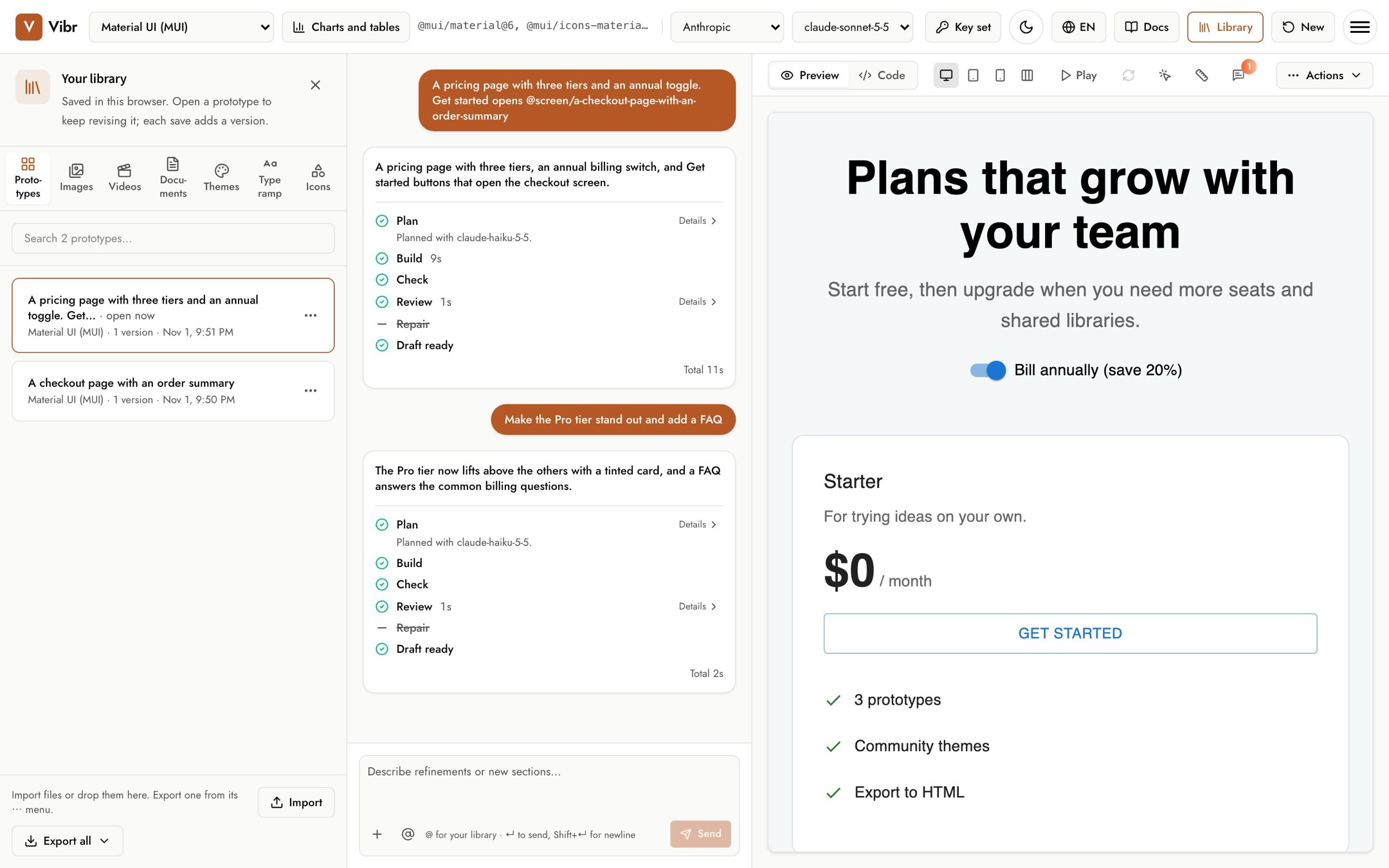
Your library is saved in this browser. Select Library in the top bar to open it. It has seven tabs: Prototypes, Images, Videos, Documents, Themes, Type ramp and Icons. This page covers prototypes and exports; the other tabs are in Images, videos, documents, themes, type and icons.
Save a prototype
Select Save above the canvas. The first save adds the prototype to your library, named after your first request. Each later save adds the current draft as a new version. The Save button fills in when there are changes you haven't saved.
Annotations on a saved prototype save automatically.
Open, revise and find
- Select a prototype to open it on the canvas, then describe what to change next.
- Open the Versions list on a prototype to open an older version. Your next request revises it, and saving adds the result as the newest version.
- Use the search box to filter by title.
Opening a prototype replaces the draft on the canvas. If that draft has unsaved changes, the library warns you first.
Rename and delete
Open a prototype's ⋯ menu to Rename or Delete it. Deleting removes the prototype and all its versions from this browser.
Export
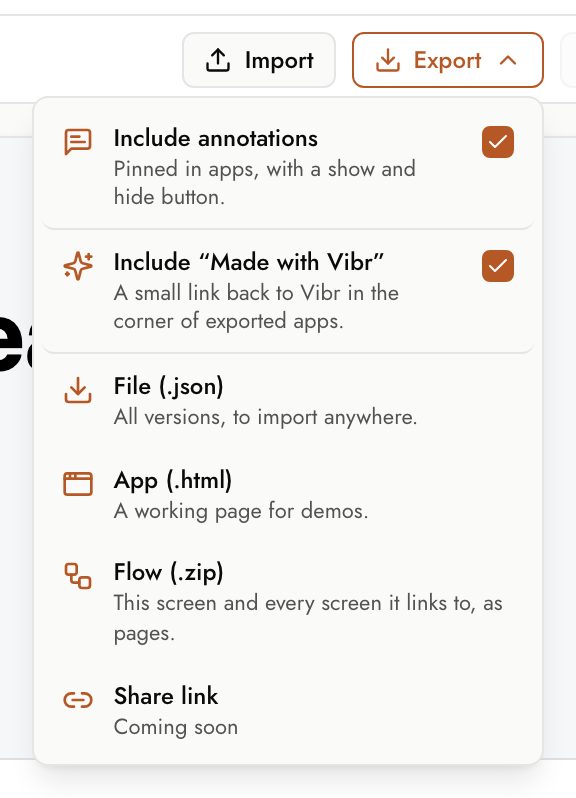
Use Export above the canvas for the prototype you're working on.
| Export | What you get | Use it to |
|---|---|---|
| File (.json) | The prototype with every version. | Move it to another browser, or share it with someone who uses Vibr. |
| App (.html) | One working web page. | Demo it, or host it anywhere that serves static files. |
| App in a language (.html) | The same page in the language on the canvas, right to left for Arabic and Hebrew. It appears when you preview in another language. | Show the design to reviewers or customers who read that language. |
| Flow (.zip) | This screen and every screen it links to, as pages. | Demo a whole flow. See Flows. |
From the library's footer, Export all downloads either a Library file (.json) with every prototype and version, or Web apps (.zip) with each prototype as a working page and a gallery page that links them.
Exports include the images, videos, themes and type ramps the prototype uses. Fonts you imported are left out, because font licenses often don't allow sharing them. An app whose uploaded videos come to more than 25 MB downloads as a zip, with the videos in a folder beside the page.
Exported apps show a small Made with Vibr link in a corner that opens Vibr. To leave it out, uncheck Include "Made with Vibr" in the Export menu. Vibr remembers your choice.
An exported app runs its code wherever you host it. Before you publish an app made from a file someone else shared, look over its code.
Share link in the Export menu isn't built yet. Selecting it counts as one vote for building it, and a dialog says so. Nothing about you or your prototype is sent.
Import
Select Import, or drop files onto the library, to bring in Vibr files (.json). Importing a prototype you already have only replaces your copy if the file's copy is newer. If you import while you have an unsaved draft, Vibr saves the draft first so nothing is lost.
Storage limits
Browsers limit how much a site can store. If the library is full, Vibr says so when you save. Delete prototypes you no longer need, or export them first.