Building
How a run works
What Plan, Build, Check, Review and Repair do, what the step notes mean, and how Vibr recovers when a model is busy.
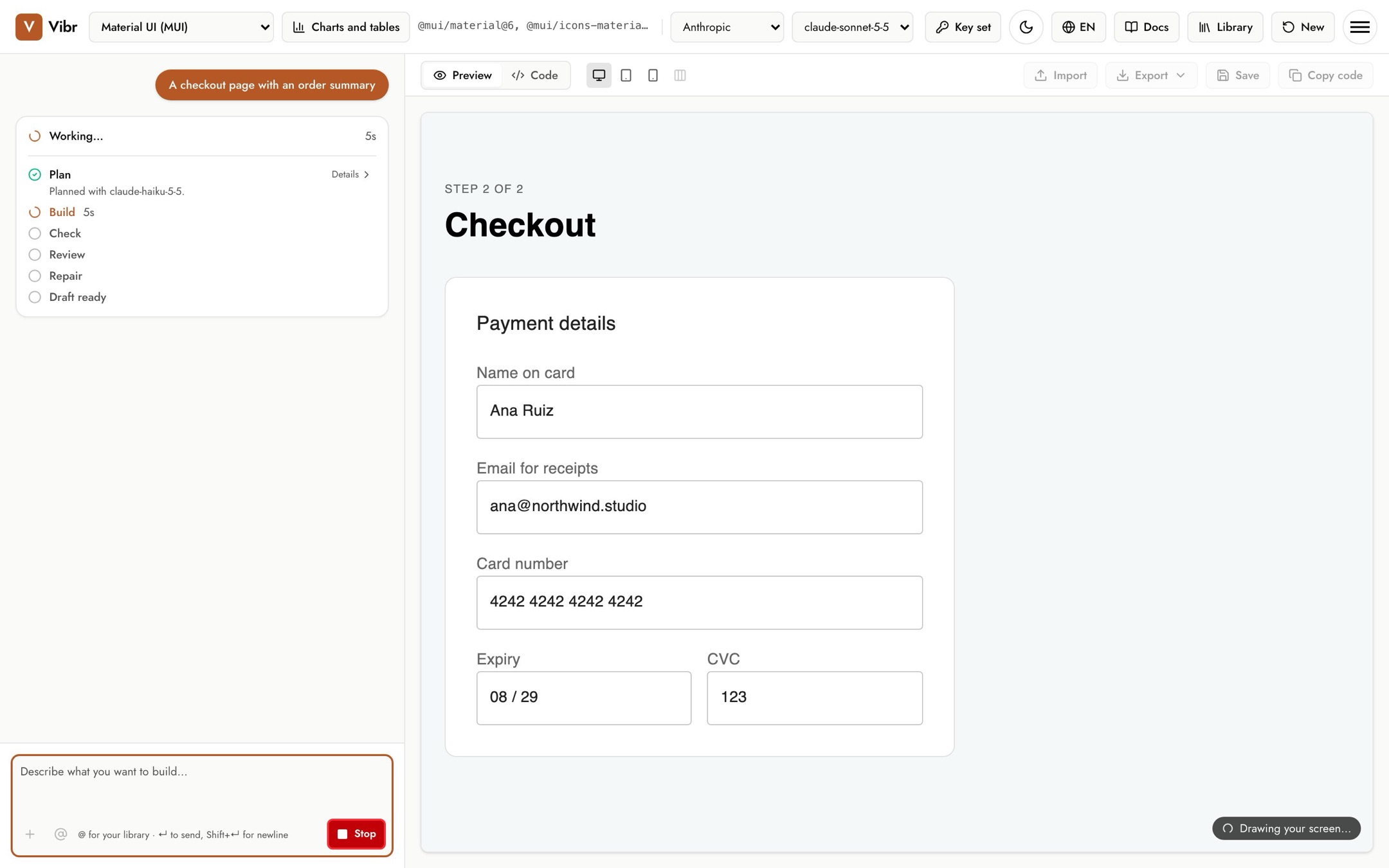
Every request runs through the same steps, and the chat shows each one with a live timer. Select Stop at any time to end the run; the step that was running is marked as skipped.
The steps
| Step | What happens |
|---|---|
| Plan | A faster model writes a short plan of three to five points. If the request is too vague, it asks you a question instead, and the remaining steps are skipped. It answers a question about the draft in the chat, and says so when a request has nothing to build. |
| Build | The chosen model writes the screen. The canvas draws it as it arrives. |
| Check | The draft is rendered in a hidden, sandboxed frame to make sure it actually works. |
| Review | The draft is checked at 1280, 768 and 375 pixels wide for accessibility (WCAG 2.2 A and AA) and for pages that scroll sideways. Phones also get a tap target check, and a draft that uses a color theme has its contrast checked in dark mode too. |
| Repair | If Review found problems, the model fixes them in one pass. If Check failed, Repair fixes the error first. |
| Draft ready | The new version is on the canvas. |
Reading the details
Steps with more to say have a Details link. Review's details list each problem it found, or confirm that none were found and at which widths it checked. Repair's details say what it fixed and what's still open.
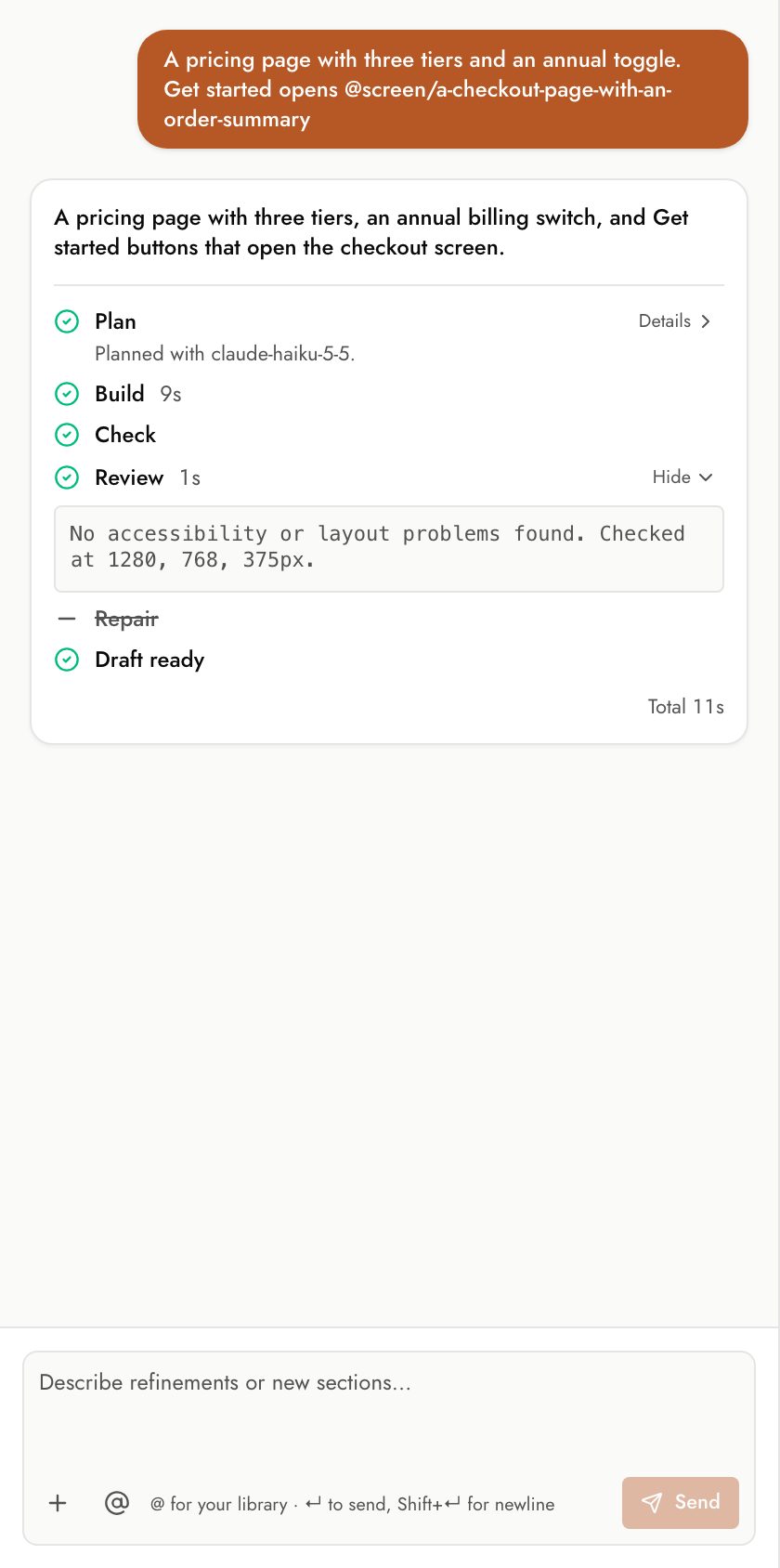
A crossed-out step was skipped. For example, Repair is skipped when Review finds nothing, and every step after Plan is skipped when Vibr asks a question. The same happens when Vibr answers a question about the draft or finds nothing to build.
When Repair can't fix everything
Repair keeps a fix only if the fixed draft still renders. If a fix breaks something, Vibr keeps the reviewed draft and says so. Anything still open is listed under Repair's details, so you can ask for it in your next request or pin it as feedback.
Backup models
Each model has a backup from the same provider. If your model is busy, slow to start, or out of quota, its backup takes over for that step, and the step says so, for example "gemini-3.5-flash hit its quota, so gemini-3.7-flash took over." Server errors are also retried a few times before a run fails.
If both models are out of quota, or your account is out of credit, the run stops with a message that says what to do. See Troubleshooting.
Timing
The step timers and the total at the bottom of each card show where the time went. Plan usually takes a few seconds, Build takes the longest, and Check and Review take a few seconds each.